
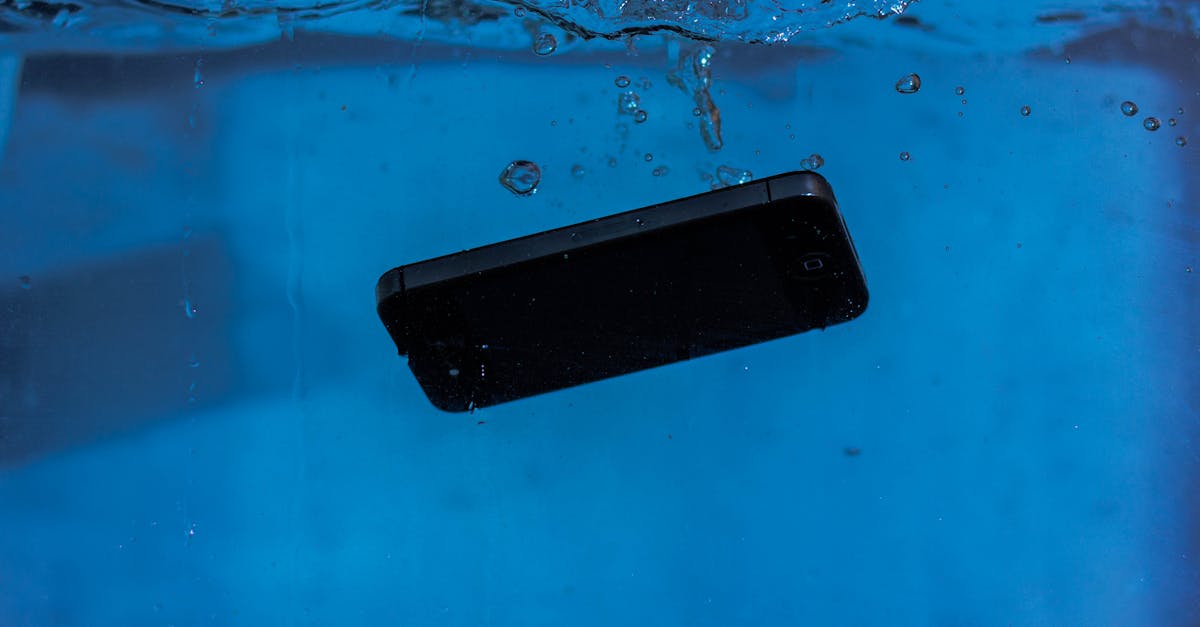
Imagine this: you’re scrolling through your favorite memes when suddenly, your iPhone flashes a warning that sends shivers down your spine—liquid detected! Panic sets in faster than you can say “oops.” But don’t toss your phone into a bucket of rice just yet. There’s a method to this madness.
Table of Contents
ToggleUnderstanding Liquid Detection in iPhones
Liquid detection in iPhones serves to protect internal components from moisture-related damage. When the device detects liquid exposure, it activates a warning and may disable certain functionalities.
How Liquid Detection Works
Liquid detection relies on specialized sensors located within the iPhone. These sensors can identify the presence of moisture in the device’s ports. Once activated, the device displays a warning message and restricts specific features to prevent damage. Internal circuitry triggers alerts when it encounters moisture, prompting users to take immediate action. Manufacturers designed this safety measure to extend device longevity and reduce repair costs.
Common Sources of Liquid Exposure
Users encounter several common sources of liquid exposure. Spills from beverages, such as water, coffee, and soda, frequently occur during daily activities. Humidity can also contribute to moisture buildup, especially in bathrooms or near swimming pools. Rainfall poses risks while using the device outdoors, leading to accidental exposure. Exposure to sweat, particularly during exercise, becomes another factor. By recognizing these sources, users can take preventive measures to protect their iPhones from liquid damage.
Immediate Steps to Take
When liquid is detected in an iPhone, prompt action is crucial to prevent damage. Users should prioritize specific steps to minimize risks.
Power Off the iPhone
Immediately powering off the iPhone is essential. Doing so prevents short circuits from occurring due to electrical components interacting with liquid. Hold the power button until the slider appears. If the device is unresponsive, press and hold the volume and the power buttons simultaneously until it turns off. Keeping the phone turned on can escalate any potential damage. Allowing it to rest ensures that internal components can dry without interference.
Remove Accessories and SIM Card
Removing all accessories from the iPhone is important. This includes cases, screen protectors, and charging cables that could trap moisture. Pull out the SIM card as well; water can accumulate in its tray, causing issues. Taking these accessories off allows better airflow, which aids in drying the device quickly and effectively. After removing the SIM card, place it in a dry area; this prevents corrosion and helps protect data stored on the card.
Drying Your iPhone
Acting quickly can minimize moisture damage to your iPhone. Implementing effective drying methods is essential.
Air Drying Techniques
Air drying works best in well-ventilated spaces. Placing the device on a flat surface allows air to circulate around it. Keep the iPhone upright to promote drainage from the ports. Avoid exposing the phone to direct sunlight or heat sources, as excessive heat can damage internal components. Leaving it in this position for at least 24 to 48 hours increases the chances of complete moisture evaporation.
Using Silica Gel or Rice
Using silica gel packs proves more effective than rice. Silica gel absorbs moisture efficiently and reduces humidity around the device. Users should place their iPhone in a sealed bag or container with the packs for optimal results. If silica gel isn’t available, uncooked rice can serve as an alternative, although it’s not as effective. Ensure there’s minimal movement in the bag to prevent any potential residue from entering the phone. Allow the iPhone to sit in this environment for up to 48 hours to enhance moisture removal.
Assessing Damage
Assessing damage after liquid exposure helps determine the necessary steps for recovery. Identifying visible signs and testing functionality allows users to understand their device’s condition.
Signs of Liquid Damage
Inspect the device for signs of moisture, such as condensation on the screen or within the camera lens. Look for discoloration in the charging port and headphone jack, which may indicate liquid exposure. Check for corrosion on the metal components as it can affect performance over time. Users should also examine the Liquid Contact Indicator, typically found in the SIM card slot, to see if it has turned red, signifying liquid contact. Detecting these indicators early can aid in preventing further deterioration.
Checking for Functional Issues
Testing various functions ensures that the device operates correctly after moisture exposure. Start with the screen, checking for responsiveness and display issues. Examine the audio by playing music to determine if sound quality remains intact. Evaluate charging capabilities by connecting the iPhone to a power source—successful charging signifies no major internal damage. If any features malfunction, consulting a professional technician may be necessary to mitigate risks and restore functionality. Addressing functional issues promptly increases the chances of a successful recovery.
When to Seek Professional Help
Recognizing when to consult a professional is essential after detecting liquid in an iPhone. Prompt assistance can minimize damage and restore functionality effectively.
Authorized Service Providers
Authorized service providers ensure repairs meet Apple’s standards. They utilize genuine parts, maintaining device integrity. Apple technicians possess specific training to manage liquid damage cases professionally. Users receive accurate diagnostics and potential repair costs upfront. Relying on certified technicians also grants access to warranty services. Repairs may include cleaning and replacing damaged components, ensuring optimal device performance post-incident.
Warranty Considerations
Warranty implications arise when liquid exposure is detected. Most warranties do not cover water damage; however, Apple’s AppleCare+ offers additional protection. This plan may include coverage for accidental damage, subject to a service fee. Users must assess their warranty status before seeking repairs. Knowing the terms of coverage helps ensure informed decisions. Engaging authorized service providers often supports warranty validity. This step guarantees that repairs align with warranty conditions, promoting long-term device reliability.
Preventive Measures
Users can take several preventive measures to reduce the risk of liquid exposure to their iPhones. Implementing these strategies promotes device longevity and safeguards functionality.
Using Water-Resistant Cases
Water-resistant cases provide a robust layer of protection against moisture. These specialized cases often feature seals and materials designed to repel water effectively. Investing in such protection ensures users can confidently engage in activities like exercising outdoors or handling beverages without worrying about accidental spills. Regularly checking these cases for wear and tear can help maintain their protective capabilities, prolonging their effectiveness.
Best Practices for iPhone Care
Maintaining an iPhone involves adopting smart care practices. Users should avoid placing their devices in risky environments, such as near pools or on wet surfaces. Keeping the phone dry during travel, especially in humid or rainy conditions, protects it from unexpected moisture exposure. Regularly updating the software also enhances device performance, offering the latest security and performance features. Lastly, utilizing screen protectors can prevent damage from drops and spills, providing a comprehensive approach to iPhone care.
Addressing liquid detection in an iPhone requires immediate action and careful consideration. By powering off the device and allowing it to dry properly users can significantly reduce the risk of permanent damage. Utilizing silica gel packs instead of rice offers a more effective drying solution.
If issues persist after drying it’s essential to consult a professional technician. Authorized service providers can deliver the expertise needed to assess and repair any damage while maintaining warranty validity.
Taking preventive measures like using water-resistant cases and practicing good care habits can help users avoid future incidents. By staying informed and proactive users can protect their devices and ensure long-lasting functionality.